Vue中的$event详解
最近学习Vue的过程中,接触到了事件对象$event,记录一下我的理解。
场景1:获取原生DOM事件的事件对象
在DOM事件的回调函数中传入参数$event,可以获取到该事件的事件对象
<template>
<button @click="getData($event)">按钮</button>
</template>

<script>
export default {
    setup() {
        const getData = (e) => {
            console.log(e)
        }
        return {
            getData
        }
    }
}
</script>
当我们点击button按钮时,可以看到控制台打印出的事件对象,如下图:
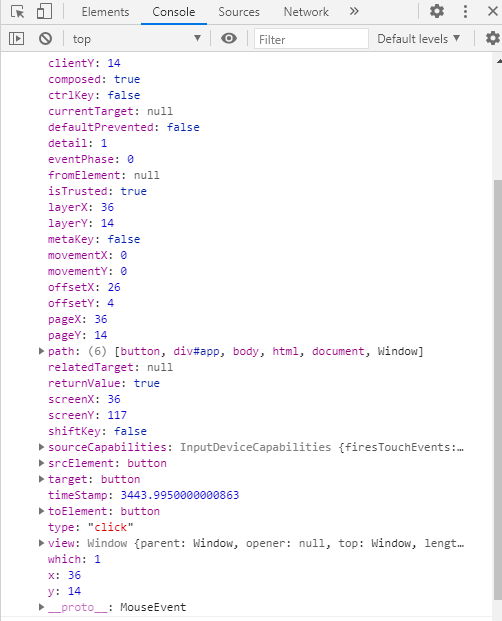
通过该对象自带的一些属性,我们可以避免过多的冗余代码,细化代码。
场景2:事件注册所传的参数(子组件向父组件传值)
在子组件中通过$emit注册事件,将数据作为参数传入,在父组件中通过$event接收
父组件:
<template>
<Hello @hello="showData($event)" />
<h4>{{data}}</h4>
</template>

<script>
import Hello from '@/components/Hello.vue'
import {
    ref
} from 'vue'
export default {
    components: {
        Hello
    },
    setup() {
        const data = ref(null)
        const showData = (e) => {
            data.value = e
        }
        return {
            showData,
            data
        }
    }
}
</script>
子组件:
<template>
<button @click="$emit('hello', 'hello')">Hello</button>
<!-- $emit()的第一个参数是定义的事件名,第二个参数是要传入的数据 -->
</template>

<script>
export default {

}
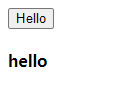
</script>此时我们点击hello按钮,就会将子组件传入的'hello'字符串在页面上显示出来,如下图
本博客所有文章除特别声明外,均采用 CC BY-SA 4.0 协议 ,转载请注明出处!